Managing multiple projects, tasks, and team workloads can quickly become chaotic, especially with remote and hybrid teams. Traditional task lists and simple timesheets often fail to provide clear visibility into project progress, worked hours, and accountability.
That’s where TrackDek Projects comes in, a modern project and task management solution that combines project tracking, task monitoring, collaboration, and time tracking in one intuitive dashboard.
This blog explains what TrackDek Projects is, how it works, its core features and benefits, and why it’s ideal for modern teams looking to streamline workflows and improve productivity.
What Are TrackDek Projects?
TrackDek Projects is a smart project and task management platform built to help businesses plan, track, and complete their work efficiently. It provides tools to:
-
Track project progress and status in real time
-
Monitor tasks and assign team members
-
Record worked hours for projects and tasks
-
Collaborate directly on tasks with comments and updates
-
Gain insights into productivity and team performance
By combining project management and time tracking, TrackDek eliminates guesswork and helps teams deliver work on time and within budget.
Why Project & Time Tracking Matters
Project and time tracking is more than just logging hours; it’s about understanding how work progresses and where time is spent. Accurate time tracking enables organizations to:
-
Produce detailed project reports
-
Improve billing accuracy
-
Reduce unproductive time
-
Estimate future work more realistically
Projects become easier to manage when every task, timeline, and hour is transparent.
How TrackDek Projects Works
Project List Dashboard
TrackDek’s Project List view provides a high-level overview of all ongoing projects, displaying:
-
Project Name
-
Assigned Team Members
-
Number of Active Tasks
-
Last Activity Time
-
Total Worked Hours
This helps managers prioritize work, allocate resources, and monitor progress at a glance.
Task List Features
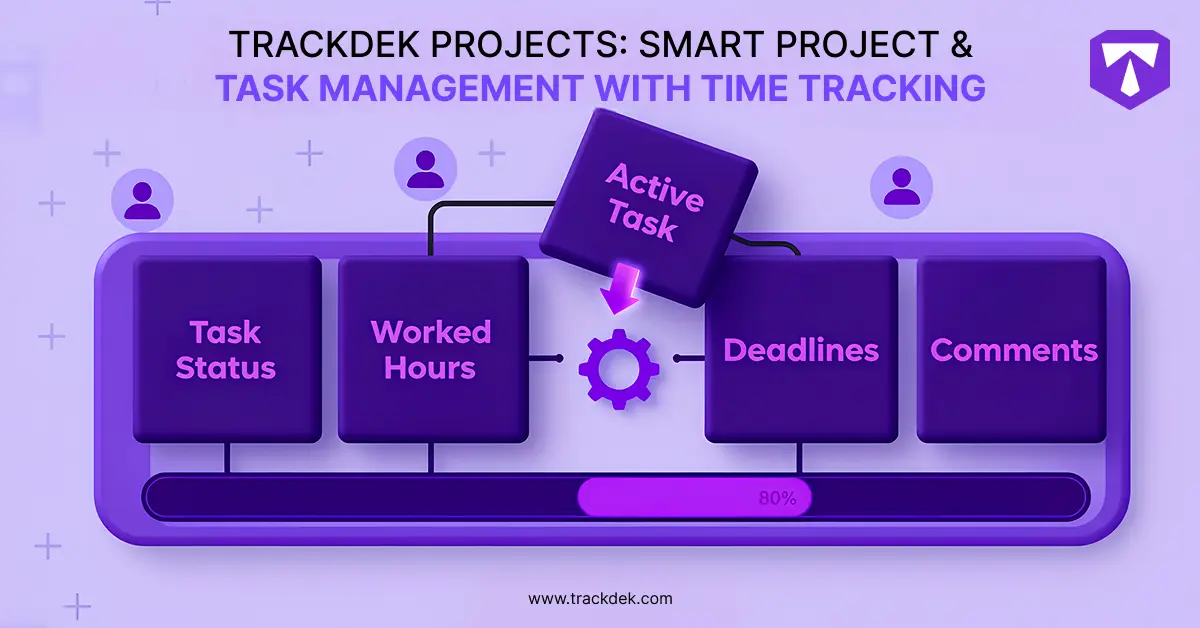
Each project’s task list allows deeper tracking of individual work items with details like
-
Task Status (e.g., New, In Progress, Completed)
-
Deadlines and time logs
-
Comments and collaboration notes
-
Worked hours per task
This level of detail ensures clarity and accountability across every stage of project execution.
Real-Time Updates
TrackDek keeps all data fresh with real-time updates. Managers and team members can see changes immediately, ensuring everyone is aligned and informed.
Table: Project Management vs. TrackDek Projects
| Feature | Traditional Task Lists | TrackDek Projects |
|---|---|---|
| Centralized Dashboard | No | Yes |
| Real-Time Project Updates | No | Yes |
| Time Tracking Integrated | No | Yes |
| Task Collaboration | No | Yes |
| Worked Hour Reports | No | Yes |
| Resource Allocation Insights | Limited | Yes |
This table clearly shows how TrackDek Projects upgrades basic task lists into a complete project management and time tracking system.
Key Features of TrackDek Projects
1. Centralized Project Dashboard
TrackDek offers a clear project overview where managers can see all project details without switching between tools.
2. Real-Time Task Monitoring
Tasks are tracked in real time, including status, comments, and progress updates, helping teams stay aligned.
3. Integrated Time Tracking
Worked hours are logged against tasks and projects, making it easy to track billable hours and team contributions.
4. Team Collaboration
Users can leave comments, ask questions, and share updates directly within task threads, eliminating disconnected communication.
5. Visual Progress Insights
With an immediate view of last activity and worked hours, managers can spot bottlenecks before they become issues
Benefits of Using TrackDek Projects
Better Project Visibility
With a full view of tasks and timelines, managers no longer need to chase status updates; everything is in one place.
Improved Accountability
Time tracking paired with task status ensures teams take ownership of deliverables and timelines.
Increased Productivity
Real-time insights help identify productivity gaps and prioritize high-impact tasks.
Simplified Collaboration
Comments and task updates are centralized, reducing confusion and email dependency.
Fast Resource Allocation
Managers can quickly shift resources where needed based on activity and hours worked.
Who Should Use TrackDek Projects?
TrackDek Projects is ideal for:
-
Remote and Hybrid Teams: Where distributed work needs visibility.
-
IT & Software Companies: managing sprints, bugs, features, and releases.
-
Marketing & Creative Agencies: juggling multiple campaigns and client deliverables.
-
Project-Based Businesses: where timelines, tasks, and billing must stay accurate.
- Startups & Enterprises: needing centralized work tracking and scalability.
Final Thoughts
TrackDek Projects transforms the way teams manage work by combining project planning, task tracking, collaboration, and time tracking into one robust platform. It replaces disconnected tools with a unified solution that drives clarity, accountability, and productivity.
Whether you’re leading small teams or managing enterprise workstreams, TrackDek Projects helps your organization deliver projects efficiently and track every billable hour with confidence.
What are TrackDek Projects?
TrackDek Projects is a project and task management platform that also integrates time tracking, giving teams visibility into project progress, assignments, and worked hours.
How does time tracking work in TrackDek Projects?
Worked hours are logged automatically or manually and tied to specific tasks or projects, helping managers track productivity and billable time.
Can team members collaborate on tasks?
Yes, users can leave comments and updates and collaborate directly on task threads inside TrackDek Projects.
Is TrackDek Projects suitable for remote teams?
Yes, it provides real-time visibility into tasks, worked hours, and project activity, making it ideal for remote and hybrid teams.
Does TrackDek replace separate task lists or spreadsheets?
Yes, TrackDek Projects centralizes project management and eliminates the need for disconnected task lists or manual spreadsheets.